In-depth technology and AI thinking—where builders, startups, and researchers publish practical ideas that turn code into real-world impact.
HubSpot AI - Marketing Brain For Modern CRM-Driven Organizatons
HubSpot is an all-in-one CRM and marketing automation platform with deeply embedded AI across content, email, lead scoring, and analytics.
SAAS SOLUTIONS
Mahmood Rahman
2/5/20267 min read
HubSpot AI is positioning itself as a central marketing brain for modern CRM-driven organizations in 2026. In this review, I’ll unpack what that actually means in day‑to‑day operations, with practical examples and industry use cases at SMB, mid‑market, and enterprise levels.
What HubSpot AI?
HubSpot is an all‑in‑one CRM and marketing automation platform with AI baked into content creation, email, lead scoring, customer journeys, and reporting. It’s used across SMB, mid‑market, and enterprise, with its primary role being lifecycle marketing and revenue attribution.
2. Key AI Features (With Practical Examples)
2.1 AI content assistant (blogs, emails, CTAs)
HubSpot’s AI content assistant helps teams draft long‑form and short‑form assets directly inside the editor.
Typical workflows:
Blog drafts from outlines or keywords (“Generate a 1,500‑word blog on ‘AI in SaaS onboarding’ with a practical tone”).
Email sequences generated from a persona and offer (“3‑email nurture for CFOs considering a new billing system”).
CTA variations (“Book demo”, “See pricing”, “Start free trial”) automatically suggested, then A/B tested.
Example (B2B SaaS):
A mid‑market SaaS marketing team launches a new feature. Instead of starting from scratch, they:
Prompt the AI assistant with the feature summary and ICP.
Generate:
A launch blog post.
A 4‑email nurture sequence for existing leads.
Website CTAs tailored to “evaluating” vs “ready to buy” visitors.
Manually refine tone, add product screenshots, and publish.
This cuts content production time by 40–60% while letting senior marketers stay focused on strategy and differentiation rather than blank‑page writing.
2.2 Predictive lead scoring
Predictive scoring uses historical conversion data, behavioral signals, and firmographics to assign a likelihood‑to‑close score to each contact.
Signals often include:
Website behavior (pricing page visits, feature comparison pages, time on site).
Email engagement (opens, clicks, replies).
Firmographics (company size, industry, region).
Sales interactions (meetings booked, demo attendance).
Example (Mid‑market SaaS):
Before predictive scoring, SDRs call any MQL over a threshold of manual “points”. After enabling AI lead scoring:
HubSpot analyzes the last 12–24 months of closed‑won vs closed‑lost deals.
It surfaces a model where:
Contacts from 50–500 employee companies in FinTech,
Who visited the pricing page 3+ times,
And clicked a specific integration email,
are 3–4x more likely to convert.
SDRs now prioritize leads above a certain AI score and route them to the right reps automatically.
Result: improved SDR productivity and higher opportunity creation without hiring additional headcount.
2.3 AI‑powered email subject optimization
HubSpot AI evaluates and suggests subject lines based on:
Historical open/click data in your account.
Best‑practice patterns (length, structure, emotional triggers).
Segment context (persona, lifecycle stage, device mix).
Example (E‑commerce):
For a re‑engagement campaign, AI suggests alternatives to a generic subject like “We miss you” and predicts expected opens:
“Is this goodbye? Here’s 15% off your cart”
“We saved your favorites – ready when you are”
Marketing chooses the subject with the best predicted open rate and tests it across a subset of the list before rolling out.
2.4 Automated customer journey orchestration
Journey orchestration lets you design dynamic workflows that adapt based on behavior and AI signals (e.g., lead score, engagement level, predicted churn).
Common orchestration elements:
Branches based on AI lead score or lifecycle stage.
Timing adjustments based on recipient engagement.
Channel switching (email → SMS → sales task) based on response.
Example (B2B services):
A consulting firm builds a lifecycle journey:
New ebook download triggers a nurture sequence.
If AI lead score surpasses a threshold and they visit the pricing page, the journey:
Notifies the assigned sales rep.
Schedules a task.
Switches emails from generic education to case‑study focused.
If engagement drops, AI throttles frequency and pushes a value‑first webinar invite.
2.5 AI reporting and attribution insights
HubSpot uses AI for multi‑touch attribution and pattern detection in campaign performance.
Typical outputs:
“These 3 campaigns contributed 70% of pipeline for Segment X in the last quarter.”
“Contacts who attended webinars before talking to sales closed 1.8x faster.”
“Paid search + product comparison blog + sales demo is your highest‑ROI path.”
Example (Enterprise tech):
RevOps wants to justify budget for content vs paid. Using AI‑driven attribution:
They discover that a particular comparison guide and a “ROI calculator” page appear in 60% of closed‑won journeys.
Paid campaigns that land on these assets have significantly better payback.
Budget is re‑allocated towards promoting those assets and building similar content.
3. Core Use Cases (By Team & Scenario)
3.1 Full‑funnel inbound marketing
For inbound‑first companies, HubSpot AI powers the entire funnel:
Top‑of‑funnel: AI‑generated blogs, SEO‑driven topic suggestions, CTA optimization.
Mid‑funnel: Automated nurture sequences and content personalization.
Bottom‑funnel: Targeted offers, sales enablement content, and predictive scoring.
Industry example – B2B SaaS:
A PLG SaaS company uses HubSpot AI to:
Launch 4 blogs/month generated from product usage insights.
Auto‑segment free users based on product behavior and send tailored upgrade nudges.
Surface “high‑intensity” users to sales based on product data + AI scoring.
3.2 Email and lifecycle automation
Lifecycle automation is where HubSpot historically shines; AI makes it smarter and less manual.
Key patterns:
Lead nurture journeys based on initial conversion asset (ebook vs free trial vs demo request).
Customer onboarding sequences that adjust based on feature adoption.
Renewal and expansion campaigns timed around usage trends and health scores.
Industry example – SaaS + Services hybrid:
A SaaS company offering onboarding services:
For high‑value customers, AI identifies upsell windows (e.g., when usage grows in specific modules).
Automated campaigns invite them to add professional services or move to a higher tier.
Sales sees in‑CRM flags like “High likelihood to upgrade within 30 days”.
3.3 CRM‑driven personalization
Personalization uses CRM data, behavior data, and AI to adapt content:
Dynamic text blocks based on industry, role, or lifecycle.
Recommended content or offers based on browsing and email history.
Region‑ or language‑specific variations at scale.
Industry example – Education / EdTech:
An EdTech platform with student and institution personas:
Students see CTAs like “Start free course” and personalized course recommendations.
Institutional buyers see ROI stats, case studies, and budget‑oriented content.
HubSpot AI automatically segments and drives these experiences via smart lists and conditional content.
3.4 Marketing and sales alignment
By sharing AI‑driven insights across marketing and sales:
Sales gets prioritized lead queues with context (why this lead scores high).
Marketing sees which sequences and assets sales uses in closed‑won deals.
Leadership gets unified revenue reporting across both motions.
Industry example – Manufacturing:
A global manufacturer digitizing its demand generation:
Marketing runs inbound campaigns by region and product line.
Sales sees “hot accounts” with activity history (content consumed, forms filled, web visits).
AI models highlight which campaign mixes drive actual RFQs and deals, not just leads.
4. Strengths of HubSpot AI (As a Practitioner)
4.1 Unified customer data
Because CRM, marketing automation, content, and analytics live in one system:
AI models don’t need to stitch data from five different tools.
Teams can build journeys across the entire lifecycle – from first touch to renewal.
4.2 Excellent UX for non‑technical teams
HubSpot’s UI remains one of the easiest in the market:
Marketers can build workflows, journeys, and AI experiments without engineering tickets.
AI suggestions are embedded in context (editor, reporting, workflows) instead of hidden in a separate interface.
4.3 Strong ecosystem and integrations
Its app marketplace and native integrations (Google Ads, Meta, LinkedIn, popular CMS and analytics tools) make it viable as a central hub:
Ad platforms feed performance and audience data back into HubSpot.
CMS and landing pages integrate natively for content performance tracking.
Analytics tools receive and enrich data for deeper analysis.
4.4 Clear ROI attribution
With AI‑driven attribution models, you can:
Tie content and campaigns directly to pipeline and revenue.
Argue budget shifts using data, not gut feeling.
Run experiments across channels with clear outcome visibility.
5. Limitations and When HubSpot AI May Not Fit
5.1 Pricing increases sharply at scale
As contact volumes, seats, and advanced features grow:
Costs rise significantly compared to point solutions.
Enterprises with huge contact databases can face steep pricing jumps when crossing plan thresholds.
5.2 Advanced customization requires higher tiers
Some limitations for growing teams:
Complex journey orchestration, advanced reporting, and deeper AI capabilities may sit behind enterprise‑grade plans.
Teams on lower tiers may find themselves “outgrowing” functionality faster than expected.
5.3 Less flexible for very complex enterprise stacks
For organizations with:
Multiple CRMs per region,
Heavy custom CDP implementations,
Deeply customized data models and homegrown tools,
HubSpot can feel opinionated and less adaptable than pure‑play enterprise platforms designed for large, bespoke architectures.
6. Pricing & Packaging (Strategic View)
HubSpot follows a freemium → tiered SaaS structure:
Free tier for basic CRM and some marketing tools.
Tiered plans based on features and contact levels.
Seat‑based pricing for users (marketing, sales, service).
Enterprise plans unlock advanced AI, governance, and more sophisticated analytics.
From a budgeting perspective:
Startups/SMBs benefit from getting “a lot in one box”.
Mid‑market teams must model growth carefully to avoid pricing surprises.
Enterprises typically negotiate multi‑hub agreements with custom provisioning.
7. Integrations in Real‑World Stacks
Common integration patterns:
Native CRM: HubSpot as the primary CRM or as a marketing hub connected to another core CRM in a hybrid setup.
Ad platforms: Google Ads, Meta, LinkedIn for campaign sync, conversion tracking, and audience management.
CMS: HubSpot CMS, WordPress, and headless CMSs, often with tracking and content performance reporting.
Analytics: Connections to tools like GA4, BI platforms, and data warehouses for extended reporting.
Example stack for mid‑market SaaS:
HubSpot for CRM + automation + AI content.
HubSpot CMS or WordPress for the marketing site.
Google Ads + LinkedIn Ads feeding into HubSpot for lead attribution.
A warehouse/BI tool for company‑wide dashboards.
8. Security & Compliance
For regulated or data‑sensitive industries, HubSpot provides:
SOC 2 Type II adherence for security and operational controls.
GDPR and CCPA compliance with consent tools, data subject rights support, and data processing agreements.
Enterprise‑level data controls (user permissions, audit logs, region‑based hosting options depending on configuration, and SSO).
This makes it suitable for most SMBs and mid‑market companies, and many enterprises with standard compliance requirements, though extremely regulated industries (finance, healthcare, government) must still evaluate data residency and specific regulatory needs.
9. Verdict: Who Should Choose HubSpot AI in 2026?
For 2026, HubSpot is arguably the best all‑round marketing AI platform for teams wanting:
A single, unified system to manage CRM, marketing, and key aspects of sales.
AI that is deeply integrated into daily workflows (content, scoring, journeys, reporting) rather than bolted on.
Speed to value and measurable ROI without building and stitching together multiple point solutions.
Best fit:
Inbound‑driven SMBs and mid‑market teams that value usability, time‑to‑value, and strong attribution.
Enterprises that want a centralized marketing and CRM hub with strong AI, as long as their architecture isn’t extremely bespoke or fragmented.
Less ideal:
Teams with strict cost constraints at very large scale.
Organizations needing ultra‑custom data models and deeply specialized, home‑built AI across multiple disjointed systems.
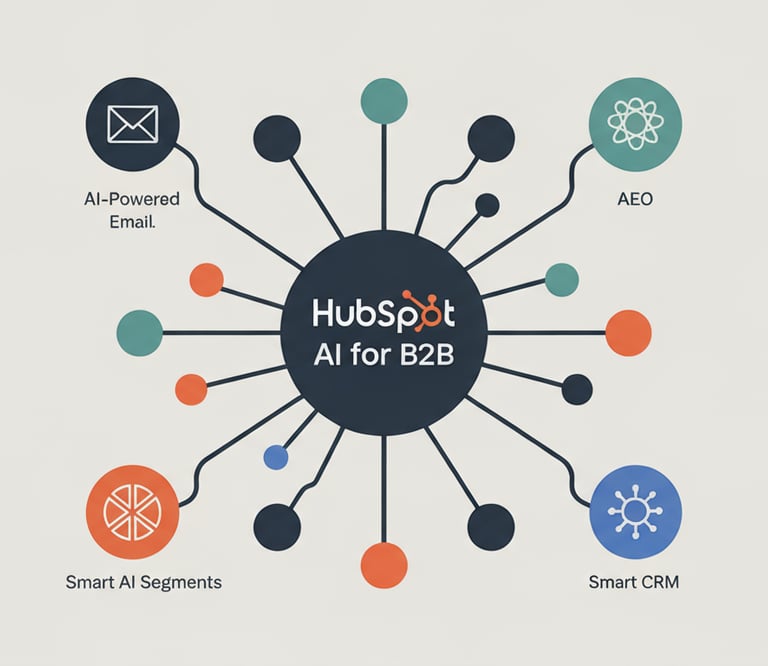
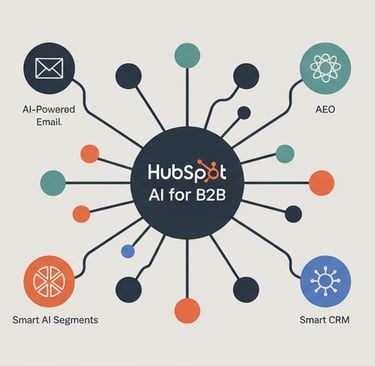
How this feels in practice
Marketing teams draft blog posts, emails, and CTAs directly inside HubSpot with AI helping generate, rewrite, and optimize copy.
Sales teams rely on AI‑driven lead scores and engagement signals to prioritize outreach.
RevOps and leadership lean on AI attribution models to understand which campaigns genuinely move pipeline and revenue.
Target users:
SMBs wanting a single platform instead of multiple disconnected tools.
Mid‑market teams scaling inbound marketing and sales alignment.
Enterprises needing governed, CRM‑wide AI but with guardrails, integrations, and compliance.
About Technoroxe
Phone
info@technoroxe.com
+41 76 408 94 30
© 2025. All rights reserved by Technoroxe.
Phone
Designed & Developed By SalpersFirst (www.salpersfirst.com)
Technoroxe is a hands-on technology and AI ecosystem where students build, mentors guide, and real-world engineering principles shape innovation.
We focus on practical systems, not just ideas.
A builder-first technology platform powered by university students and guided by experienced professionals.